
Automatic Time Tracking for Consultants, Accountants and Project Managers
AutoLogger helps you understand exactly what you worked on, when you worked on it,
and how much time each project or client actually consumed.
Stop Guessing Where Your Time Goes
Manual time reporting is slow, inaccurate and easy to forget. AutoLogger runs in the background
and captures your work activity so you can review your day with precision.
Track Real Work Activity
See what applications, files and windows you worked with during the day.
Understand Project Time
Connect work activity to projects, clients and assignments.
Recover Billable Hours
Reduce missed hours and create a more accurate basis for invoicing.
Improve Your Workflow
Identify distractions, repeated context switching and inefficient work patterns.
Built for Knowledge Work
Consultants
Know exactly how many hours you spent on every client and assignment.
Accountants
Track client work more accurately and reduce manual follow-up.
Project Managers
Understand planning accuracy, real execution time and workload distribution.
How AutoLogger Works
Download and install AutoLogger on your Windows computer.
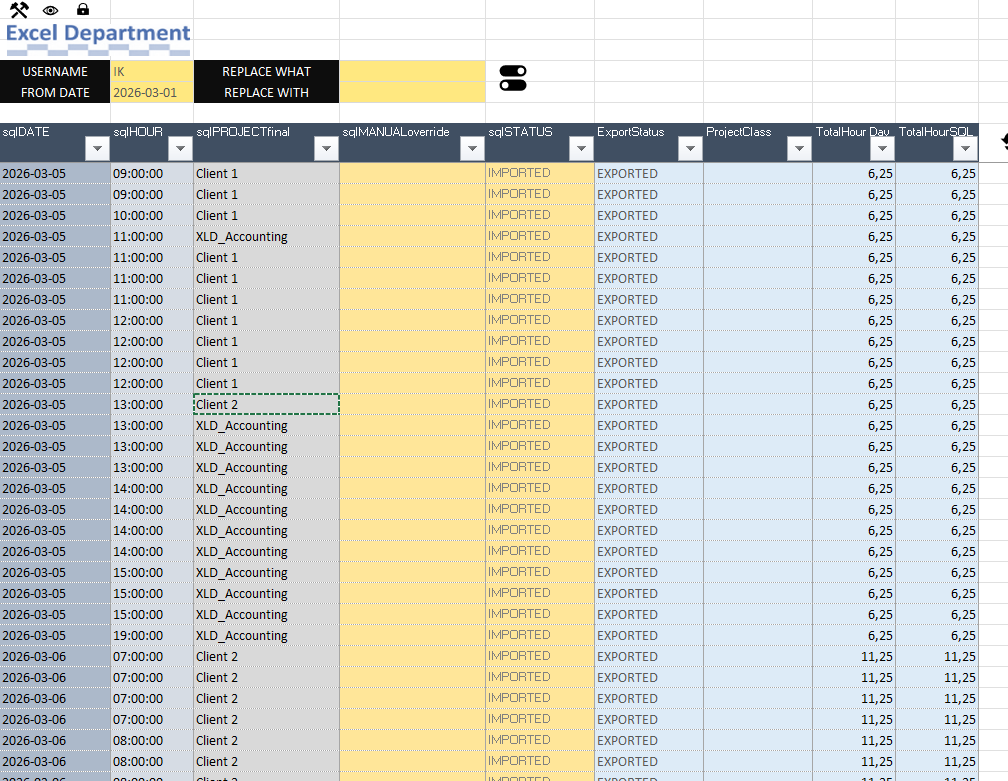
AutoLogger records work snapshots based on your active work session.
Analyze what you worked on, when, and for how long.
Connect AutoLogger with scheduling and invoicing templates to automate your workflow.


Installation Guide
Install AutoLogger in a few simple steps.
1. Download
Click the download button and save the installer to your computer.
2. Run Setup
Open the installer and follow the setup instructions.
3. Start AutoLogger
Launch the application and confirm that it appears in your system tray.
4. Configure
Adjust settings such as project list, tracking interval and export method.
From Time Tracking to Automated Invoicing
AutoLogger can be connected with scheduling and invoicing templates, allowing you to move from
raw work activity to structured planning, client reporting and invoice-ready data.