[addtoany]
Schedule in Excel
Microsoft Outlook has very good support for schedules and calendars. The Outlook calendar can also be printed nicely. But if you want to print or distribute a schedule with a cleaner or more tailored look, Excel may be the right way to go. I have therefore created a simple schedule that you can use as a starting point. Below you can see what the schedule looks like. The schedule is available for download at the bottom of the article.
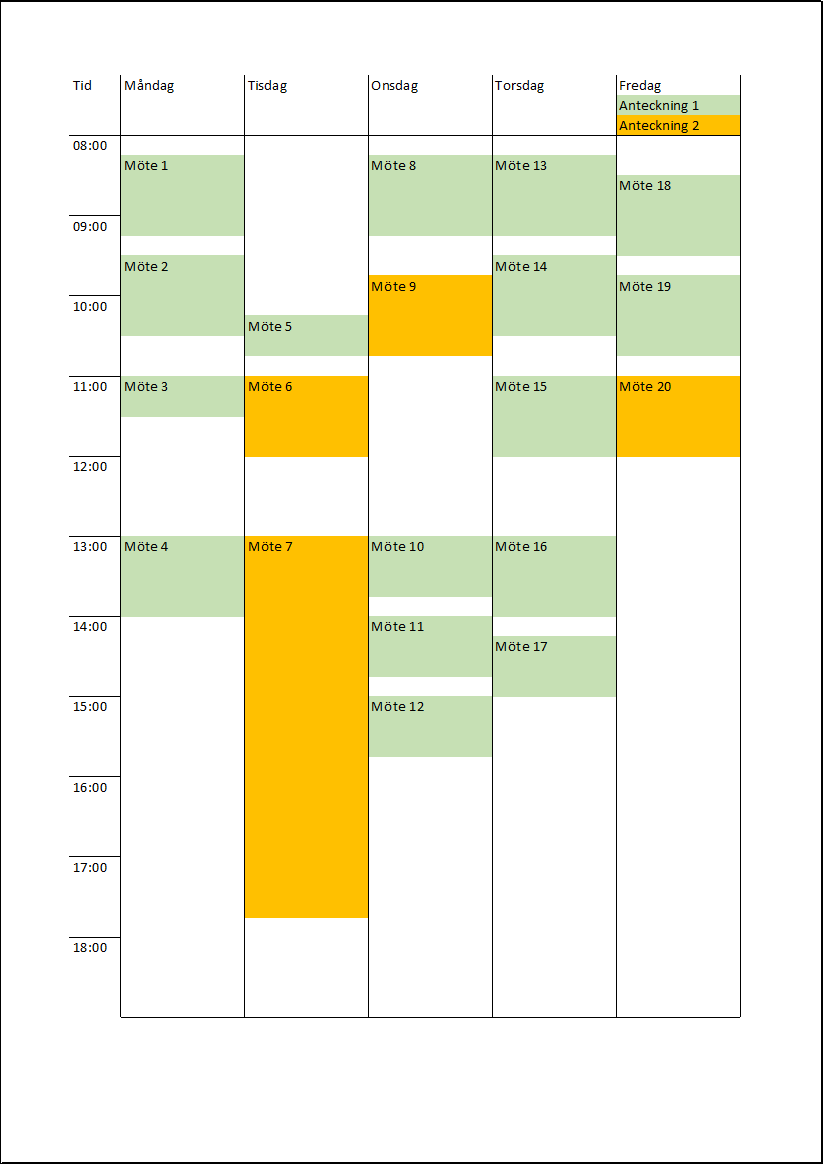
Here are some tips on how to use the schedule:
- Each hour is divided into 4 rows in the uploaded Excel schedule. If you want a finer resolution (6 rows, for example, would give one row for every 10 minutes), you can insert new rows in each hour.
- As mentioned, it is a simple Excel schedule. You create new meetings by changing the background colour and typing what you want the meeting to be called.
- You can use different colours for different types of meetings, just as I have done in the uploaded Excel schedule.

Some of our customers
We have both large and small companies as customers.












Contact us
Excel experts
We are among the country’s leading Excel experts. We help you use Excel in the best possible way and achieve better results faster.