[addtoany]
Hide and unhide
Among the options that appear when you click Format in the Cells group (under the Home tab) you also find the tools for deciding what is to be visible in the workbook – you can hide and unhide rows or columns. Hidden rows and columns are indicated by small gaps between the row headings and column headings respectively.
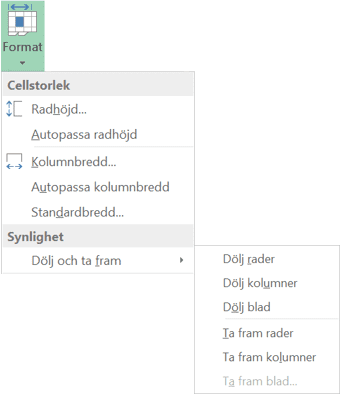
Columns are visible:

Columns are hidden:
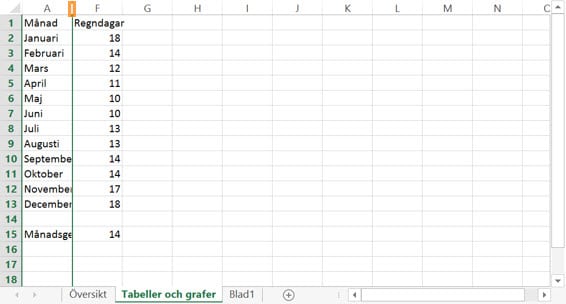
To unhide columns, select the surrounding columns and then click Unhide Columns.
Previous
Next
Some of our customers
We have both large and small companies as customers.












Contact us
Excel experts
We are among the country’s leading Excel experts. We help you use Excel in the best possible way and achieve better results faster.